Buying guide for best iPads
Ready to buy now? Shop the best: Just like the iPhone is the gold standard for smartphones, the iPad sits at the top of the tablet totem pole. The Apple iPad is popular for its design and durability, so we can’t blame you if you have your heart set on one, even if it costs more than cheaper Android models.
But there’s not just one tablet. Several models offer different specs and features, so it’s a good idea to compare the best options to find the one that's right for you.
We’ve got five high-end iPads to check out, and each one is worth it depending on your budget and the features you want. We like the Apple iPad Air 11-inch (M4) as the top pick for most users because of its fast performance and excellent display. But the other four are solid picks as well. Read on to find the model that best suits your needs.
Editors' picks
Apple iPad Air 11-inch (M4), 128GB, Wi-Fi, Space Gray
Editors’ Favorite
Display Size: 11” | Processor: M4 | Storage Options: 128GB, 256GB, 512TB and 1TB | Battery Life: 24 hr | Operating System: iPadOS
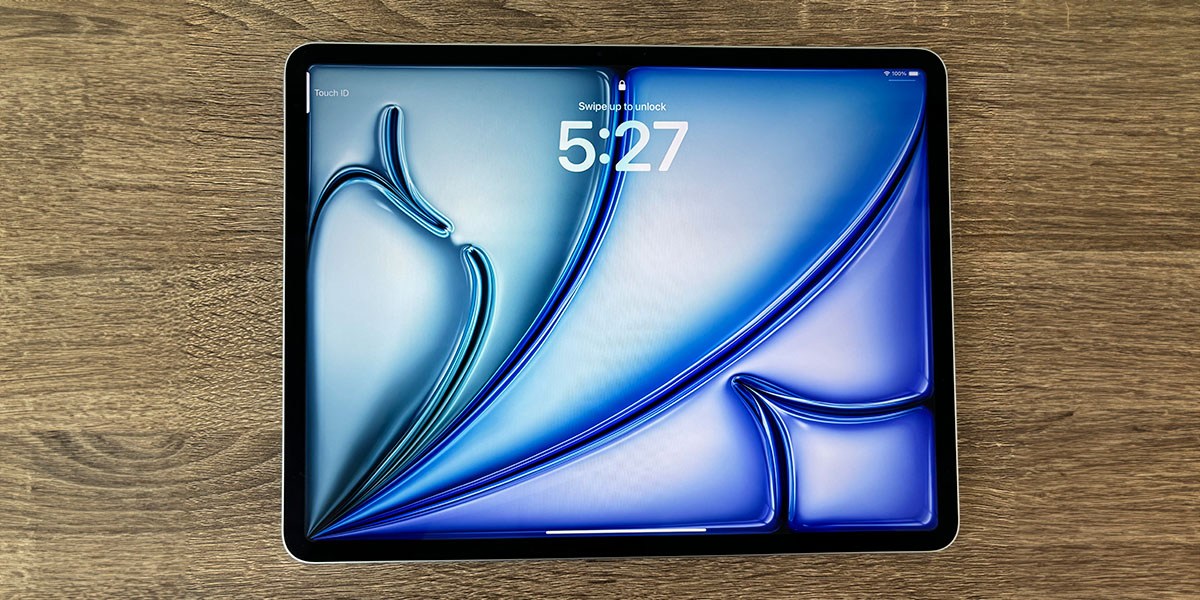
The iPad Air 11-inch (M4) is the best all-around for most users. It’s not as powerful as the Pro models, but it’s a much better everyday choice than older iPads because the M4 chip still delivers fast processing and smooth multitasking.
With 24-hour battery life, this iPad is designed for everything from casual home use and music to streaming videos and working on the go. Its 11-inch Liquid Retina display is great for HD streaming and gaming, and the 12-megapixel front and rear cameras are great for capturing videos, selfies and FaceTime calls. Apple Intelligence helps you get things done faster, and the tablet’s lightweight design makes it easy to carry around.
We love the iPad Air for how sleek and lightweight it is without sacrificing performance. It works great as both a professional and entertainment device and strikes a solid middle ground between the advanced Pro and older iPad tablets.
Apple iPad (A16) 11-inch, 128GB, Wi-Fi, Blue
Great Value
Display Size: 11” | Processor: A16 | Storage Options: 128GB, 256GB and 512GB | Battery Life: 24 hr | Operating System: iPadOS
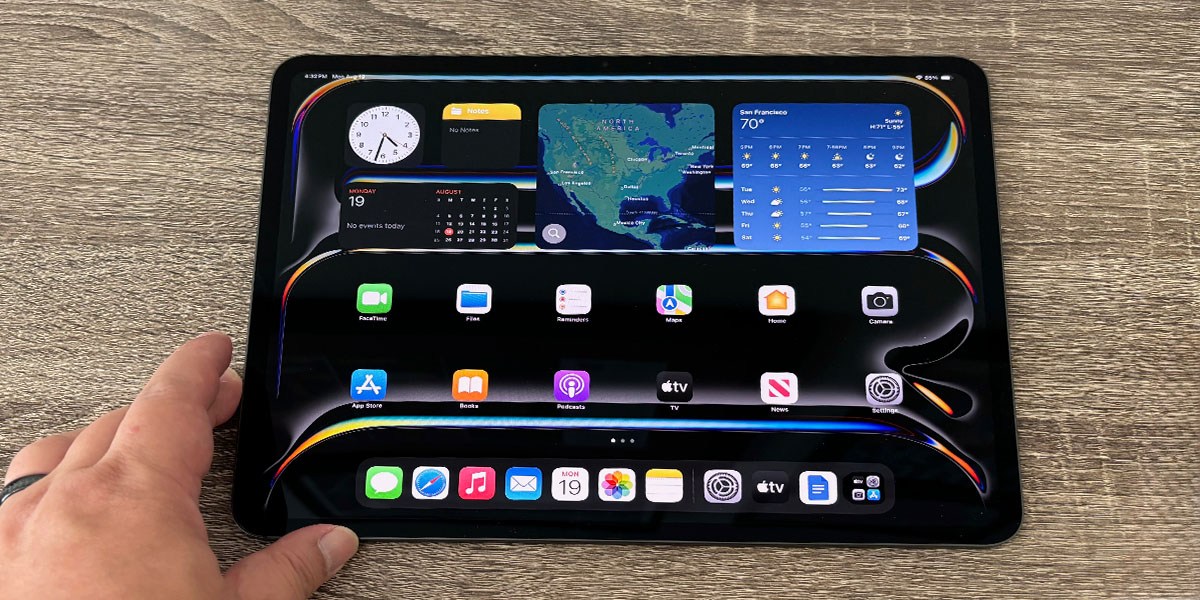
An iPad can be very expensive, especially compared to budget Android tablets. But if you have your heart set on an Apple device, we recommend checking out the Apple iPad (A16). The A16 gets a lot of flak for not being as fast as the M4 chip, but most casual users won’t notice the difference.
The 11-inch Liquid Retina display delivers stunning colors and fine details whether you’re watching your favorite movie or playing graphics-intensive games. Plus, Touch ID keeps your data secure, and the battery lasts up to 24 hours on a single charge.
At under $500, this iPad is absolutely worth a look for anyone who wants a tablet without paying Apple’s premium for its newer models. It doesn’t support Apple Intelligence or Wi-Fi 7, but otherwise it’s an excellent bargain with performance that gives current-year models a run for their money.
Apple iPad mini (A20 Pro), 128GB, Wi-Fi, Starlight
Best for Travel
Display Size: 8.5” | Processor: A20 Pro | Storage Options: 125GB, 256GB, 512GB | Battery Life: 24 hr | Operating System: iPadOS
A regular iPad can feel clunky in certain situations because of its large screen. That’s why many prefer the iPad Mini when shopping for a lightweight tablet. It’s smaller, but it delivers performance nearly on par with larger iPads, and its sleek form factor makes it perfect for traveling light.
With an 8.5-inch Liquid Retina display and an A20 Pro processor, the iPad Mini is one of the best tablets for gaming, working and web surfing while on the go. You can multitask efficiently with two open windows at once, and Apple Intelligence makes everything from photo editing to note-taking much faster. It's also water- and dust-resistant, so you don’t have to worry about things like splashing if you’re using it by a pool.
The smaller screen might feel strange if you’re used to a regular iPad, but if you want something powerful that won’t clutter your travel bag, it’s one of the best tablets available.
Apple iPad Air 13-inch (M4), 128GB, Wi-Fi, Blue
Best Big-Screen iPad
Display Size: 13” | Processor: M4 | Storage Options: 128GB, 256GB, 512GB and 1TB | Battery Life: 24 hr | Operating System: iPadOS
The M4 chip and large screen make this iPad Air a top choice for power users. With its 13-inch Liquid Retina display, it's much easier to watch movies, edit videos and game without feeling restricted by the edges.
Despite its larger screen, it’s incredibly lightweight and thin, so you can take it on the go without feeling like you’re carrying a heavy tablet. Wi-Fi 7 and Apple N1 compatibility enable fast, secure data transfers and internet connections, boosting productivity wherever you need it. You can do more with Apple Intelligence, like using smart writing tools, cleaning up images and using Siri to handle tasks faster.
It’s available in four storage sizes, so you can choose the one you think you’ll need for games, apps, videos and other files. You can also choose from four body colors, including Starlight and Space Gray.
Apple iPad Pro 11-inch (M5), 256GB, Wi-Fi, Standard Glass, Space Black
Best for Creative Pros
Display Size: 11” | Processor: xx | Storage Options: 256GB, 512GB, 1TB and 2TB | Battery Life: 10 hr | Operating System: iPadOS
The ultimate iPad, the iPad Pro boasts advanced technology and an ultra-fast processor that keeps power-intensive programs running smoothly. It’s optimized for creative professionals and hobbyists who want to design, edit and create without feeling bogged down by slow loading and processing.
Its 11-inch display suits nearly any task, and you won’t feel as restricted as you might with a smaller tablet like the iPad Mini. Wi-Fi 7 with Apple N1 means you can transfer files faster and rely on secure internet connections while you work. The M5 chip is blazing fast, letting you run both graphics- and power-intensive apps without a dip in performance. Its 16GB of memory also makes multitasking smooth, letting you keep multiple windows and tabs open at once without issues.
The battery life isn’t nearly as good as our other favorite iPads, but its power alone makes it a worthy tablet for artists, creative professionals and anyone who wants a powerful iPad for power-intensive computing tasks.
How we tested
We tested four iPad models for this article, one from each product family. We used a mix of specific testing and overall real-world use to evaluate each model’s capabilities.
- Setup: We noted how each iPad model was packed, what accessories it came with and how long it took to set up, including any sign-in or sign-up requirements.
- Design: We subjected each iPad to a basic bend test as well as light drops and use. We also noted comfort, weight, color and other design elements.
- Display: We used light metering and colorimetry apps to give us an idea of the brightness and color accuracy of iPad displays and examined how the displays performed in bright sunlight, average indoor light and a dim nighttime environment. We also noted sharpness, contrast, detail and responsiveness with video, images and gaming.
- Performance: We ran multiple apps, such as Office, Chrome, Safari, YouTube, iMovie, GarageBand, Photoshop for iPad and Call of Duty Mobile to gauge performance, ease of use and multitasking.
- Cameras and speakers: We took photos and videos with the front and rear cameras of each iPad and evaluated their quality. We also tested the front camera for conference and video calling. For the speakers and audio, we played music and videos and noted the quality, bass and spaciousness of the sound.
- Battery life: We timed how long it took for an iPad battery to go from 100% to less than 5% charge using a mix of everyday use and strenuous tasks at auto-adjusting screen brightness, then timed how long it took to recharge using a standard 20-watt Apple USB-C power adapter. When possible, we also timed how long the battery lasted while playing only video at a set brightness.
Choosing a model
Choosing an iPad depends on what you need it to do for you and what other devices you already use.
- For casual use: If you have a computer and just want an iPad as a second device for casual use, or if convenience and portability are more important than speed and performance, get a base-model iPad like the iPad (A16) or iPad Air 11-Inch with M4 .
- For kids: The iPad (A16) or Apple iPad Mini 7 models are also great for kids who just need a simple, low-cost, high-quality tablet.
- For people on the go: If portability is your top concern or you want a second device that’s small but has a great screen and bumped-up performance, get the Apple iPad Mini 7.
- For those who want to replace their laptop full time: The iPad Air 11-Inch with M4 or iPad Air 13-Inch with M4 is ideal for someone who’s considering an iPad as their primary mobile computer. The 13-inch model can replace a laptop, especially with an external keyboard or keyboard case.
- For professional use: The iPad Pro 13-inch with M5 is a computer replacement for anyone who needs cutting-edge performance, especially media professionals in graphics, video or music, and who want that performance in tablet form.
iPad features
Display type
iPads have two types of displays: OLED and LCD.
OLED has individually lit pixels that allows for true blacks, fast response and detailed contrast. It is widely considered to be the top display technology available.
The LCD displays on iPads are high-quality with vivid colors, sharp resolution and detailed LED backlighting.
Screen size
Screen sizes on iPads range from the 8.3-inch iPad Mini to the iPad Air 13-inch with M4 and iPad Pro 13-inch with M5. A bigger screen gives you more space to work with for immersive video and gaming or detailed creative work in drawing, painting, music creation or photo editing. A bigger screen also lets you take advantage of multitasking with two or more app windows open at the same time. Smaller screens, however, are more portable and easier to hold.
Our top picks: Screen size
- The iPad Air 13-inch with M4 and iPad Pro 13-inch with M5 models provide plenty of space for a virtual piano in GarageBand, more detailed timelines in iMovie or Final Cut Pro, and multiple app windows with Stage Manager.
- The 11-inch screens on the iPad Air 11-inch with M4 and iPad (A16) (10.9 inches usable) provide a good combination of portability and usability.
- The iPad Mini (7th generation) with its 8.3-inch display is ideal for reading e-books in bed or using in the cramped quarters of a plane.
Resolution
Resolution refers to the number of pixels on a screen. Since 2010, iPads have used what Apple calls Retina displays, high-resolution screens that make images and text smooth and sharp. Resolution goes hand in hand with pixel density, or how many pixels fit in a given measure. The higher the pixel density, the sharper the image. Pixel density can be measured as pixels per inch (ppi).
Our top picks: Resolution
- The 13-inch iPad Pro is the highest-resolution iPad, with 2752 by 2064 pixels at 264 ppi.
- The iPad A16, iPad Air 11-inch with M4 and iPad 13-inch with M4 feature a Liquid Retina screen with a resolution of 2360 by 1640 pixels and 264 ppi.
- The iPad Mini (7th generation)’s 8.3-inch Liquid Retina display has a 2266 by 1488 resolution at a super sharp 326 ppi.
Processor
The faster the processor, the smoother and more enjoyable the iPad experience. All iPads use Apple-designed processors based on ARM architecture for lower power consumption while maintaining or improving performance. The iPad Air and iPad Pro families use the M-series processors also used on Macintosh computers, while the iPad and iPad Mini use previous generations of the A-series processors found on iPhones.
Memory
All iPads come with 4 to 16 gigabytes of memory, or RAM, depending on the model. The more memory, the more apps an iPad can have open and the better they run. The iPad (A16) starts with 6GB of memory, good for everyday use, while the iPad Mini (7th Generation) and iPad Air has 8GB for better productivity and performance. The iPad Pro line offers 12GB to 16GB memory for professional-level apps and workflows. iPad memory isn’t upgradeable after purchase. A minimum of 8GB memory is needed to use Apple Intelligence.
Storage
You generally use an iPad with an internet connection, but local storage is still important. When you don’t have access to a network, you can watch videos, listen to music, read books and access documents stored on your iPad. Plenty of storage also helps you download a lot of apps, some of which can be pretty big. However, iPad storage can’t be upgraded; consider 128GB a minimum.
Battery life
Apple promises around 10 hours of battery life for all its iPads, regardless of model. In our experience, we’ve noticed that the iPad Mini, with physically the smallest battery of the lineup, doesn’t last that long, around nine hours. Battery life depends on several factors, including screen brightness, and iPads can change their brightness automatically depending on their surroundings. We recommend keeping this setting on automatic.
Connectivity
All iPads connect to the internet, and many accessories wirelessly, but they can also use their charging ports.
- Wi-Fi: All iPads have Wi-Fi. The iPad (A16) uses Wi-Fi 6, the iPad Mini lines use Wi-Fi 6E, and the iPad Air and iPad Pro lines use Wi-Fi 7.
- Cellular: Most models of iPad come in a version that includes a cellular radio for connecting to the internet in areas without a Wi-Fi network. These cellular-capable models cost extra, and you’ll need to pay for a data plan as well. The iPads with cellular support up to 5G speeds.
- Bluetooth: All iPads have Bluetooth for connecting to accessories like headphones, speakers, keyboards, mice and even smart TVs. iPads support Bluetooth 5.3 to Bluetooth 6.
- Charging port: iPads with USB-C charging ports easily connect to expansion docks and dongles to HDMI, audio and more, or to accessories like flash drives. The iPad Pro also supports the pro-level Thunderbolt/USB 4 over its charging port. The iPad (9th generation) was the last iPad with an older Lightning port and a headphone jack.
Expert Tip
Every model of iPad is a little different, so when you first buy one, be sure to familiarize yourself with the basics: how to power it on and off, how to raise and lower the volume and how to quickly take a screenshot.
BestReviews Electronics Expert
Cameras
All iPads come with front and rear cameras. On a tablet like an iPad, the front camera can be more important since it’s used for video calls and selfie videos. The iPad front cameras have a feature called Center Stage that keeps a subject centered without having to move the iPad. We found this feature works best on iPads with the front camera centered in landscape orientation.
Our top picks: Cameras
- The cameras on the iPad Pro line are the best on any iPad. The front camera offers better focus control and background blur, multiple filters and Apple’s animated and AI emojis. The rear camera can record ProRes video at 4K/30 fps.
- The iPad mini (7th generation) and iPad (A16) have the same camera specs, but the iPad mini is small enough that taking photos with it isn’t uncomfortable.
Speakers and audio
All iPads have two to four speakers positioned along the shorter edges of the case. Considering how thin iPads are, these speakers provide sound that is surprisingly full, with clear stereo separation. However, their bass isn’t great, so you might still prefer to output audio to headphones or speakers. All iPads have two to four mics as well, not just for recording audio or video but also for video calling and conferencing.
Our top picks: Speakers
- The iPad Pro line has four speakers and four microphones and can record video in stereo. The soundstage of the speakers was noticeably wide, especially for Dolby Atmos and Apple Spatial Audio in our testing.
- The two 13-inch iPad Air stereo speakers claim extra bass compared to those of other iPads.
Design and durability
All iPads have aluminum bodies with rounded corners, straight sides and backs and glass displays. They resisted our bend and flex tests with no issues, but we still encourage using iPads with care. Unlike iPhones, iPads have no water or dust resistance. Bigger iPads can also be tiring to hold up all the time and do better on a surface or lap, preferably with a case or stand.
Our top picks: Design and durability
- The 13-inch iPad Pro has the thinnest case of all the iPads. It also has the smallest bezels around its screen and was pleasantly light to hold considering its size
- The iPad (A16) is slightly thicker than other iPads, providing a more comfortable grip. We also like its vivid case colors of blue, yellow and dark pink.
- The 13-inch iPad Air, despite being thin and light, survived a drop (not in a case but in a padded backpack) without any issues.
Essential accessories
All iPads are ready to go right out of the box, but you’ll enhance their usability with certain accessories.
- Case: A case helps with grip and cushions the iPad from bumps and knocks. Many cases include a lid to protect the glass screen and can turn into a stand or have a stand included.
- Stylus: Get a stylus to make drawing, sketching, painting and note-taking by hand easier. An Apple Pencil has the most features, but you can use other styli with the iPad. Note that only the Apple Pencil (USB-C) is compatible across all iPad models; other Apple Pencil models only work with certain iPads.
- Keyboard: For serious productivity, we highly recommend a physical keyboard. You can choose a keyboard case, any wireless Bluetooth keyboard or even connect a keyboard with a USB-C cable to an iPad’s USB-C charging port.
Expert Tip
If your iPad’s device notifications are getting out of hand, go to the Settings app and review which apps have permission to send you alerts.
BestReviews Electronics Expert
Tips
- Regularly back up your iPad. Accidents happen. Plan for the unexpected by backing up your iPad to secure photos, videos and data. Apple offers a certain amount of free cloud storage, but once that fills up you’ll have to pay a monthly fee for additional storage.
- Identify battery-draining apps. If you go from Settings to the Battery menu on your iPad, you will see a list of the apps that use the most battery power. You might be surprised to see which apps, games and background processes are energy vampires. By shutting them off when they’re not in use, you can save some battery life.
- Set up Touch ID or Face ID. Whether your iPad supports Touch ID or Face ID, the ability to sign into your tablet at a touch or glance is both convenient and secure. Traditional text passwords can be forgotten, but no one else in the world has your unique fingerprint or facial features.
FAQ
Q. Does the iPad feature a digital assistant?
A. iPads come with Siri, Apple’s digital assistant. Downloading the Alexa app also provides access to Amazon’s Alexa assistant, and getting the Google Assistant app lets you use the Google assistant. However, only Siri is integrated with the iPad and its OS to let you make appointments, access reminders, use your contacts or access your private information. Newer models also offer Apple Intelligence, which can help you perform tasks, such as quick message replies, proofreading and image generation.
Q. Is an iPad still a good purchase if I do not own any other Apple products?
A. Yes. While the iPad can offer some extended functionality when paired with other Apple products running the iOS operating system, such as being able to answer an incoming phone call on your Apple Watch, Mac or smartphone, iPads still shine as stand-alone devices.
If you’re an Android or Windows user and unsure if an iPad is the best long-term fit for you, it might be worth investing in a cheaper model to give iOS a trial run before committing to one of Apple’s premium tablets.
Q. How many ports does an iPad have?
A. Modern iPads feature a single USB-C port for charging and connections. In iPad Pro models, this port also carries USB-4/Thunderbolt signals for pro-level data transfer. The last iPad to have a Lightning port and a headphone jack was the iPad (9th generation).
Our expertise
Jmar Gambol has written over 80 articles for BestReviews, including buying guides for the best Macbooks, best iPhones and best tablets. He has used an iPad since the original was introduced in 2009 and has tested several iPad models for the Testing Lab.
Jordan Hutchinson has been at BestReviews since 2021, and he now manages people and products for the testing lab. While he specializes in testing, Jordan also writes about trending tech topics. He has extensive knowledge of computers, TVs, speakers and other handheld electronics.
Jaime Vázquez is a writer, content strategist and gadget nerd based in Portland, Oregon. He began his career in the early 2000s, writing and managing web content for “The Oprah Winfrey Show” and elsewhere. Jaime is also a lifelong tech enthusiast — whether it’s smart-home devices, computers or wearables, he loves testing out the latest electronics.